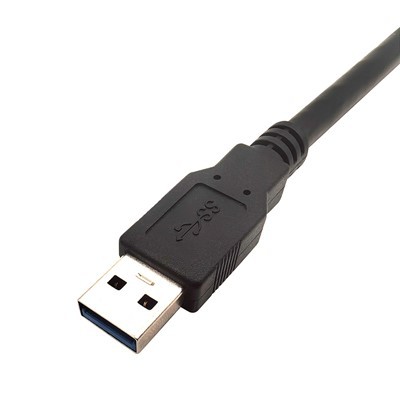
In the era of rapid technological advancement, USB cables have become an indispensable part of our daily lives. As a USB cable supplier, I am often asked various questions about the capabilities and applications of USB cables. One question that frequently comes up is whether a USB cable can be used for firmware updates. In this blog, I will delve into this topic, exploring the technical aspects, limitations, and best practices related to using USB cables for firmware updates. USB Cable
Understanding Firmware Updates
Firmware is a type of software that is embedded in a hardware device. It controls the basic functions of the device and can be updated to improve performance, add new features, or fix bugs. Firmware updates are typically provided by the device manufacturer and can be downloaded from their official website.
There are several ways to perform a firmware update, including using a USB cable, an SD card, or over-the-air (OTA) updates. Each method has its own advantages and disadvantages, and the choice of method depends on the device and the specific requirements of the update.
The Role of USB Cables in Firmware Updates
USB cables are widely used for firmware updates because they offer a convenient and reliable way to transfer data between a device and a computer. Most modern devices, such as smartphones, tablets, laptops, and gaming consoles, support firmware updates via USB.
When performing a firmware update using a USB cable, the device is connected to a computer running the appropriate software provided by the manufacturer. The software then communicates with the device over the USB connection, downloading and installing the new firmware.
Technical Requirements for Using USB Cables for Firmware Updates
To use a USB cable for firmware updates, several technical requirements must be met:
- USB Compatibility: The device and the computer must support the same USB protocol. For example, if the device uses USB 3.0, the computer must also have a USB 3.0 port.
- Driver Installation: The computer must have the appropriate drivers installed for the device. These drivers are usually provided by the device manufacturer and can be downloaded from their website.
- Power Supply: Some devices require a stable power supply during the firmware update process. Make sure the device is fully charged or connected to a power source.
- Data Transfer Rate: The USB cable must support the required data transfer rate for the firmware update. For example, if the firmware file is large, a high-speed USB cable may be required.
Advantages of Using USB Cables for Firmware Updates
Using a USB cable for firmware updates offers several advantages:
- Convenience: USB cables are widely available and easy to use. They can be used to connect a device to a computer without the need for additional hardware.
- Reliability: USB cables provide a stable and reliable connection for data transfer. This ensures that the firmware update is completed successfully without any data loss.
- Security: USB cables offer a secure way to transfer data between a device and a computer. This helps to prevent unauthorized access to the device and protects the user’s data.
Limitations of Using USB Cables for Firmware Updates
While USB cables are a convenient and reliable way to perform firmware updates, there are some limitations to consider:
- Compatibility Issues: Not all devices support firmware updates via USB. Some older devices may require a different method, such as an SD card or OTA updates.
- Data Transfer Speed: The data transfer speed of a USB cable may be limited, especially if the cable is not of high quality. This can result in longer update times for large firmware files.
- Power Requirements: Some devices may require a specific power supply during the firmware update process. If the power supply is not stable, the update may fail.
Best Practices for Using USB Cables for Firmware Updates
To ensure a successful firmware update using a USB cable, follow these best practices:
- Check Compatibility: Before attempting a firmware update, make sure the device and the computer are compatible with the USB cable and the firmware update software.
- Backup Data: It is always a good idea to backup important data on the device before performing a firmware update. This helps to prevent data loss in case the update fails.
- Use a High-Quality USB Cable: A high-quality USB cable can ensure a stable and reliable connection for data transfer. Avoid using cheap or damaged cables.
- Follow the Manufacturer’s Instructions: Always follow the manufacturer’s instructions for performing a firmware update. This includes downloading the correct firmware file and using the appropriate software.
- Keep the Device Charged: Make sure the device is fully charged or connected to a power source during the firmware update process. This helps to prevent the update from failing due to a low battery.
Conclusion
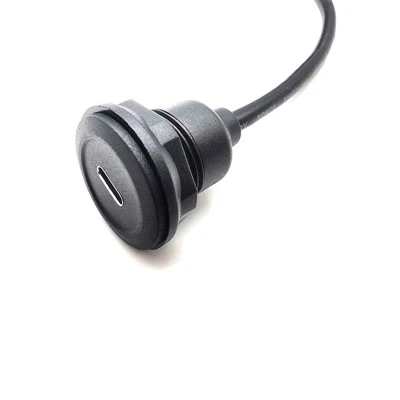
In conclusion, a USB cable can be used for firmware updates in most modern devices. It offers a convenient and reliable way to transfer data between a device and a computer. However, it is important to ensure that the device and the computer are compatible with the USB cable and the firmware update software. By following the best practices outlined in this blog, you can ensure a successful firmware update using a USB cable.
D-SUB Cable If you are in the market for high-quality USB cables for firmware updates or any other applications, please feel free to contact us. We are a leading USB cable supplier, offering a wide range of products to meet your needs. Our cables are made from high-quality materials and are designed to provide reliable performance. Contact us today to discuss your requirements and explore our product range.
References
- "USB Implementers Forum." USB Implementers Forum. Accessed [Date].
- "Firmware Update Guide." Device Manufacturer. Accessed [Date].
- "USB Cable Basics." Electronics Tutorials. Accessed [Date].
Karobert Technology LLC Karobert Trading PTE. LTD.
We’re known as one of the most professional usb cable manufacturers and suppliers in China, also support customized service. Please feel free to buy high quality usb cable made in China here from our factory. For price consultation, contact us.
Address: 6250 S 196th St, Kent, WA, 98055, USA.
E-mail: karl@karobert-us.com
WebSite: https://www.karobert-us.com/
